


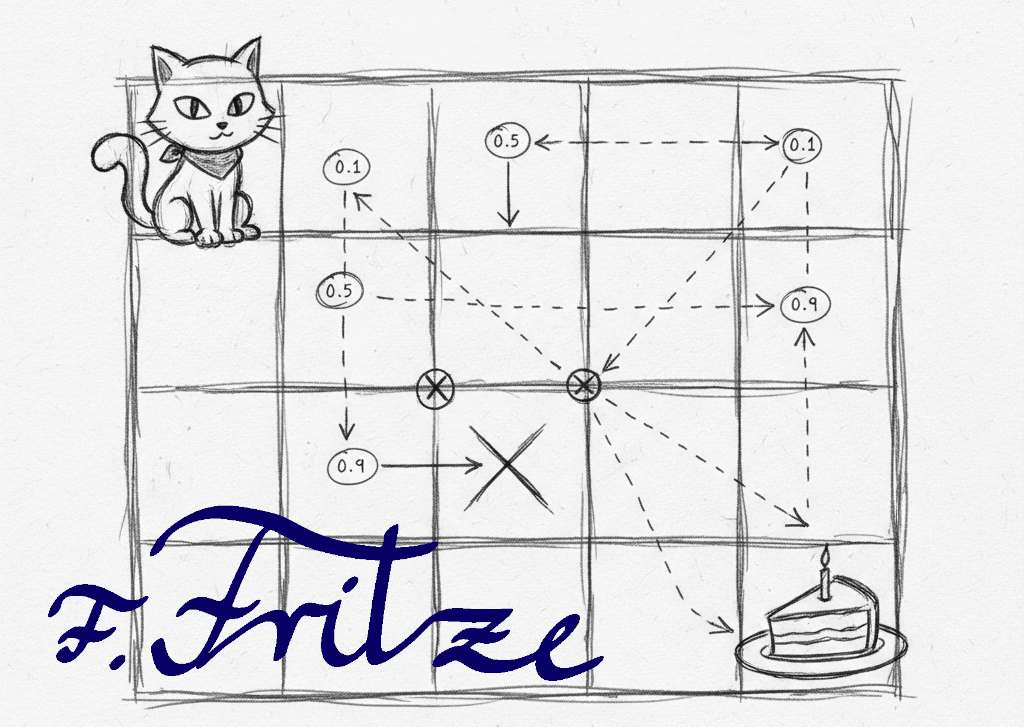
In this article we outline the development of the QField with Scratch. We start by drawing the playing field and implementing the random movement of Scratch. In the next step, we introduce the Q table, which serves as the basis for reinforcing learning. Finally, we visualize Scratch's decisions through drawn arrows that represent his path on the playing field.
Drawing the playing field
To draw the playing field for the QField, you can either use a pre-made card or create the playing field yourself. To do this, you need three objects: the cat Scratch, the object "cake" for the target field and another object, ideally the "Pencil", which is used for drawing and remains hidden.
First, you implement the x and y lists that are responsible for field numbering. These lists make it easier to query whether the "cake" has been reached and support the movement of Scratch.
The variable "step" is used for the width of the squares and later also for the movement of Scratch.
In the next step, we will implement the random movement of Scratch and introduce the Q table.

Scratch runs randomly
Now it's time to program Scratch. Here we use our own blocks for the movements "up", "down", "left" and "right". Since we have numbered the fields, when running to the right, the field number is usually increased by one, decreased to the left by one, down by 5 and to the top by 5.
Special care is required at the edges, as exceptions must be programmed here. This works most clearly with modulo calculations, but you can also link all field positions in the margin with "or" to check the conditions.
The Modulo calculation is helpful to check if Scratch is located at the edges of the playing field. With the Modulo operation, you can determine whether a field number is divisible by 5, for example, indicating that Scratch is in the last row of a 5×5 field. This technique makes it possible to efficiently control Scratch's movements and ensure that it does not go beyond the boundaries of the playing field.
In addition, a direction of movement must be randomly selected until the "cake" is reached. This random selection ensures that Scratch navigates the playing field and learns how to reach his goal.
Scratch learns a way
This section is about how Scratch learns the way to his goal through reinforcing learning. To develop a better understanding of this concept, we recommend that you read Q-Learning unplugged. There, the basics of reinforcement learning are clearly explained and provide a valuable basis for understanding how Scratch can adapt its decisions to achieve its goal more efficiently.
Since reading the arrows is too complex for the computer, we introduce the Q table. However, since the Scratch programming environment only allows one-dimensional lists, a separate list is created for each direction. In the initialization of the object "Pencil", all fields must be presented with 0. Then a 1 is entered in the position of the "cake" to mark the target.
The Q table is a central element in amplifying learning, as it stores the values for the various actions that Scratch can perform in any state. Each cell in the table represents the value of a specific movement (up, down, left, right) for a specific field. A value of 1 indicates that Scratch knows the way, while a value of 0 means that he has not yet explored this path. By continuously updating the Q-table, Scratch learns which movements lead him to his goal more efficiently
The Scratch object gets the most extensive changes. At each step, the tables must be read out. If Scratch reaches a field with a 1 in one of the direction lists, it means that he is either at the finish line or knows the way.
In this case, a 1 must be written in the number of the previous field in the corresponding direction list, the direction that has just been taken. Therefore, it is important to run a corresponding variable that tracks the previous position. A separate block is created for the list work, which we call "QBot".
Show the way
To visually represent the path that Scratch has learned, we draw arrows on the map. These arrows represent the directions of movement (up, down, left, right) that Scratch can perform in each field. For each field for which a 1 is entered in a direction list, a corresponding arrow is drawn on the map, which indicates the direction of travel. This visualization not only helps to understand the learned path, but also makes it clear how Scratch makes its decisions to reach its goal efficiently.
Further possibilities
There are numerous further opportunities to expand and improve the QField. An interesting option is the implementation of negative feedback (negative reinforcement) when Scratch runs against a wall. In this case, the value in the Q-table for this movement could be reduced, so that Scratch learns to avoid this direction.
In addition, various map shapes and obstacles can be introduced to increase the complexity of the game and make learning more challenging. Graphical improvements could also be integrated to enrich the visual experience.
An exciting example of the application of reinforcement learning is the scenario of a Mars rover looking for the drop-off location of supply packages. Here, the rover could navigate through obstacles and learn which paths are best suited to reach its goals.
Leave a Reply